
Locked Down & Learning:
10 Cybersecurity Steps for Primary Schools
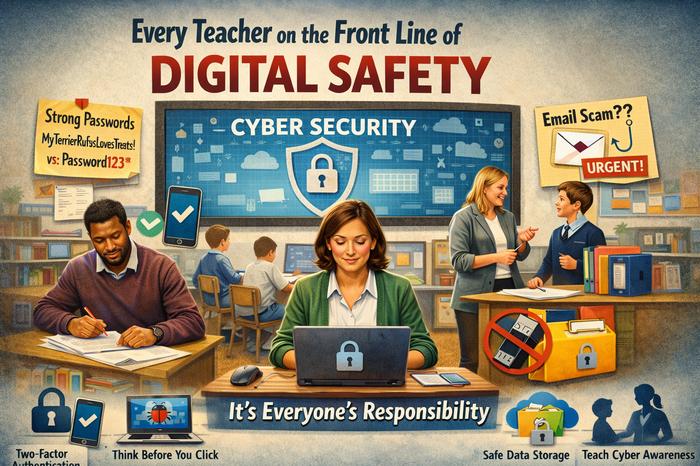
Let’s face it, your to-do list is already packed. Between lesson plans, marking, and pastoral care, “cybersecurity” can feel like a technical headache for someone else to manage. But here’s the thing: in today’s primary school, every teacher and staff member is on the front line of digital safety. A strong school culture around cybersecurity isn’t just about firewalls and filters (though those are vital!)—it’s about everyday habits that keep your pupils’ data safe, your lessons running smoothly, and your school’s reputation secure.
Think of it like safeguarding; it’s a shared responsibility. As your school’s trusted technology partner, we handle the complex infrastructure. But the human layer—that’s powered by you. So, let’s break it down into 10 practical, manageable steps you can all take to build a more secure school.
1. Become a Password Pro (No More “Password123”)
Ditch the sticky notes and predictable passwords. Use strong, unique passwords for school systems. A great trick is to think of a phrase: “MyTerrierRufusLovesTreats!” is far stronger than “Rufus1”. Better yet, ask if our team can help set up a password manager for the school—it’s a game-changer for remembering them all securely.
2. Double-Lock the Door with Two-Factor Authentication (2FA)
If we enable it for a system (like your email or admin platform), please use it. This simply adds a second step when logging in, like confirming with an app on your phone. It means that even if a password is guessed, your account stays locked safe.
3. Spot the Phish: Be Email Aware
Scammers often target schools. Be cautious with emails that:
- Create a sudden sense of urgency (“Reply NOW!”).
- Ask for login details or personal information.
- Have unexpected attachments or strange links.
- Come from a familiar name but a slightly odd email address.
When in doubt, don’t click. Report it. Forward suspicious emails to your IT contact.
4. Update, Update, Update!
Those “Windows Update” prompts? They’re like vital booster shots for security. Please restart your laptop, tablet, or interactive panel when asked to install updates. These patches fix security holes that hackers look for.
5. Practice the Principle of Least Privilege
Only access the data and systems you need for your role. Log out of shared platforms when you’re finished, especially on shared computers in the staffroom or classroom. It’s the digital equivalent of not leaving the filing cabinet unlocked.
6. Be a Cloud Guardian
Whether it’s Google Drive or Microsoft 365, remember that sensitive pupil information should only be stored in official, school-approved accounts and folders with correct permissions. Avoid saving confidential registers or reports to personal USB sticks or your own Dropbox.
7. Mind the Gap (When on Public Wi-Fi)
Avoid accessing sensitive school systems or data when connected to public Wi-Fi at the café or library. If you must work remotely, use the school’s secure VPN if we have provided one—it creates a private tunnel for your data.
8. Embrace Clean Desk & Clear Screen Policies
Just as you would shield a pupil’s written report from view, get into the habit of locking your screen (Windows key + L) whenever you step away from your computer. Keep paper records with personal data locked away securely.
9. Champion Digital Literacy with Your Pupils
Weave key concepts into your e-safety lessons. Discuss strong passwords, recognising fake websites, and the importance of not sharing personal details. You’re modelling the behaviour they need to learn.
10. Speak Up & Report Anything Odd
You are our best early warning system. If your computer is running strangely, you’ve lost a device, or you fear you’ve clicked a bad link, tell us immediately. Quick reporting can contain a small issue and stop it becoming a major crisis. There’s no blame—we’re here to help.
Working as a Team
Cybersecurity in a primary school isn’t about fear; it’s about confidence. Confidence that your time is spent teaching, not troubleshooting. Confidence that pupil data is protected. And confidence that your school’s community is resilient.
We’re here to support you. We’ll keep the systems robust, the filters appropriate, and provide clear guidance. Your mission is to adopt these daily habits. Together, we create a secure foundation so that technology remains a powerful tool for learning, not a source of risk.
Your Next Step: Why not discuss one of these points in your next staff meeting or briefing? Share this post with colleagues, and let’s build that culture of security, together.
Further Reading: Cybersecurity standards for Schools
iForge
Recent Comments